When a customer who uses a WhatsApp username messages you, WhatsApp shares only their username, not their phone number. You can now add a "Share contact info" button to a WhatsApp template, or send it from a workflow, so the customer shares their phone number in one tap and a username-only lead becomes a fully contactable one.
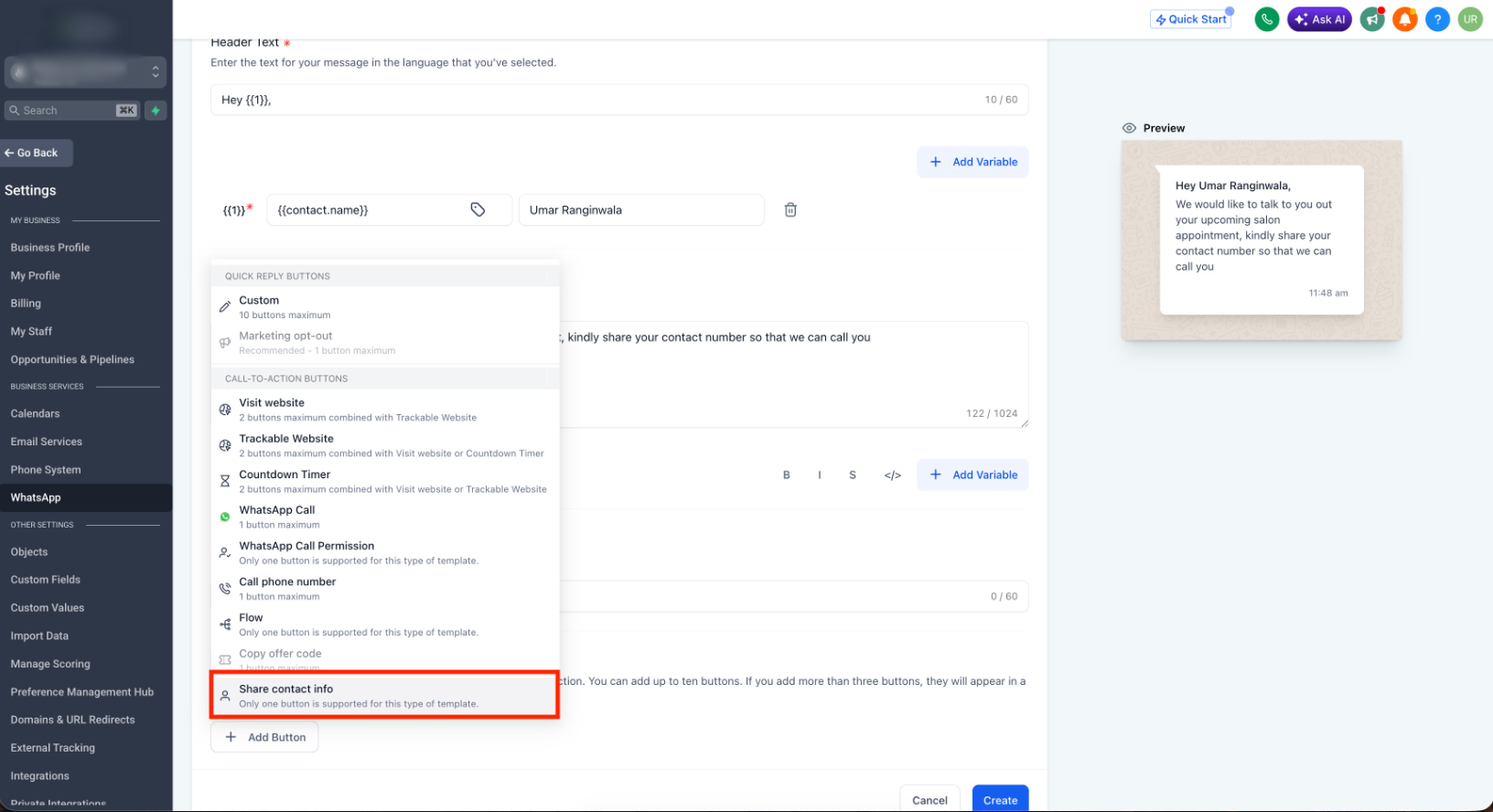
> This is how you recover phone numbers from username adopters, so they no longer sit as contacts you cannot call, export, or run phone-based automations on.
What's new
Request contact info
- Share contact info button on templates:Add a "Share contact info" button to utility and marketing WhatsApp templates. When the customer taps it, their phone number is shared and captured on their contact, turning a private, username-only lead into one you can actually reach.
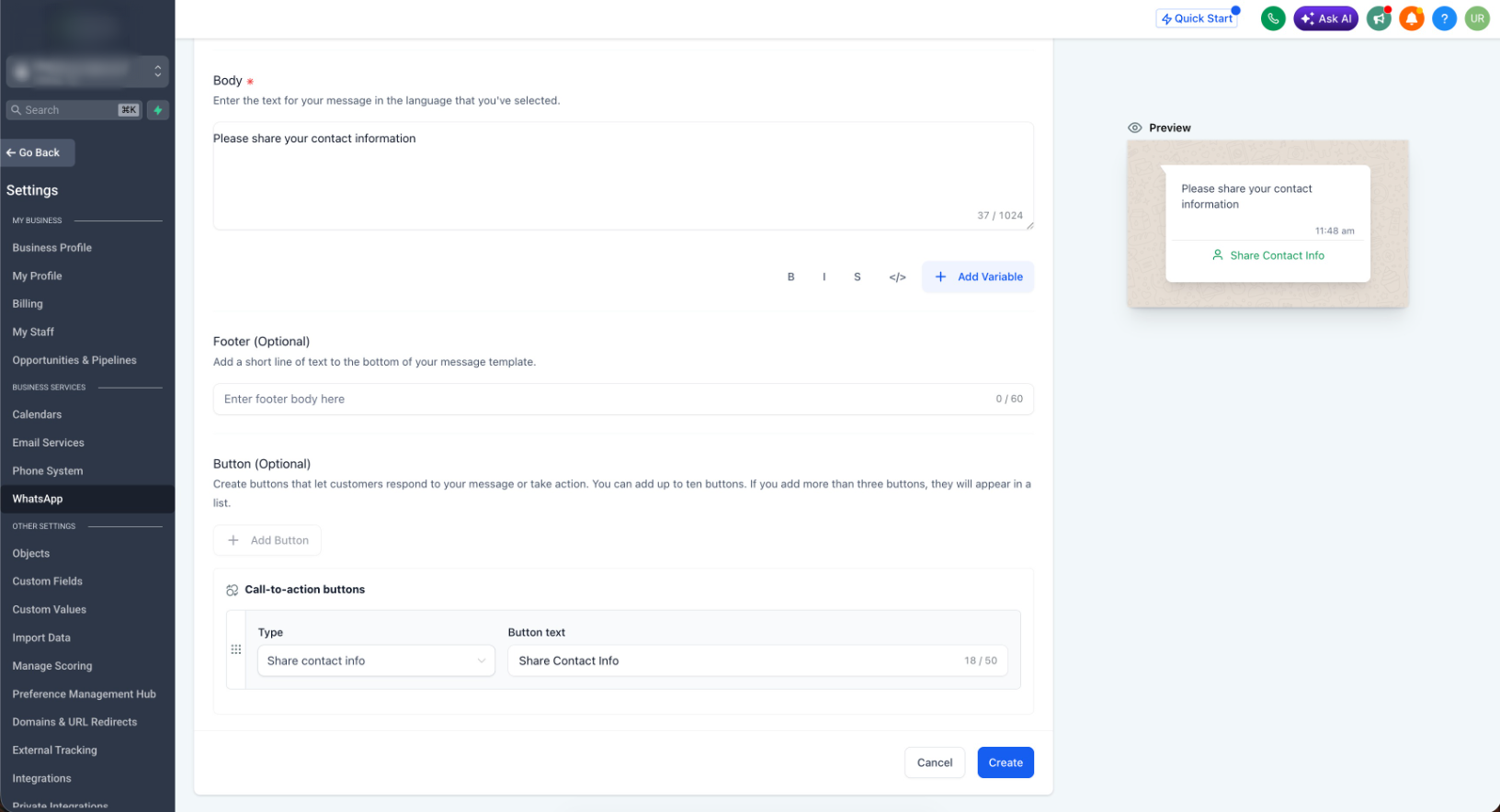
- Request contact info from workflows:Send the same request as an interactive WhatsApp message from a workflow action, so you can ask for the number automatically at the right step instead of chasing it manually.
- Duplicate-safe capture:The shared phone number is added to the contact only when no existing contact already has that number, so recovering numbers at scale does not pollute your database with duplicates.
WhatsApp calling
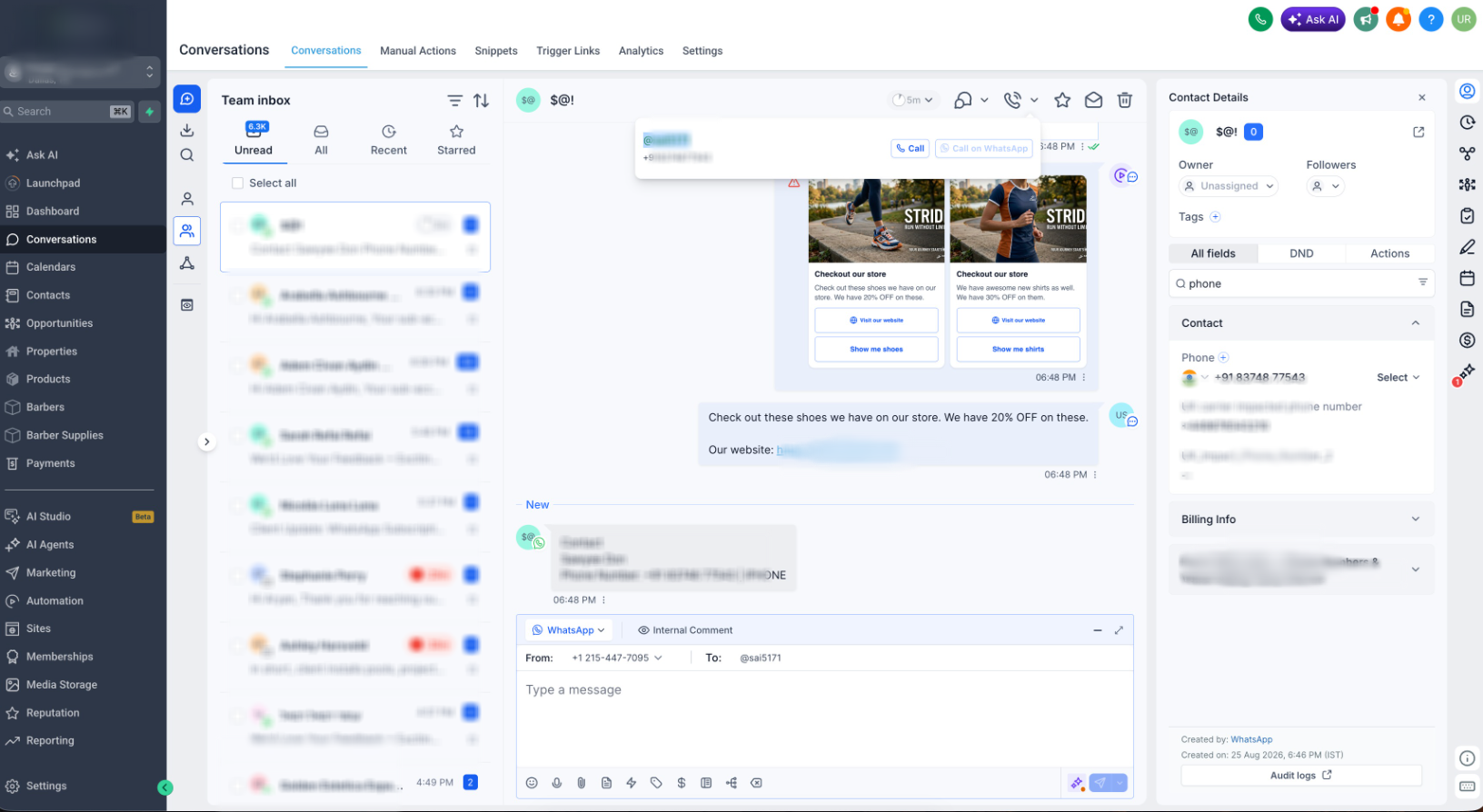
- Username support on WhatsApp calling:WhatsApp calling now works for contacts who use usernames, so a customer adopting a username no longer drops out of your calling flows.
How to activate
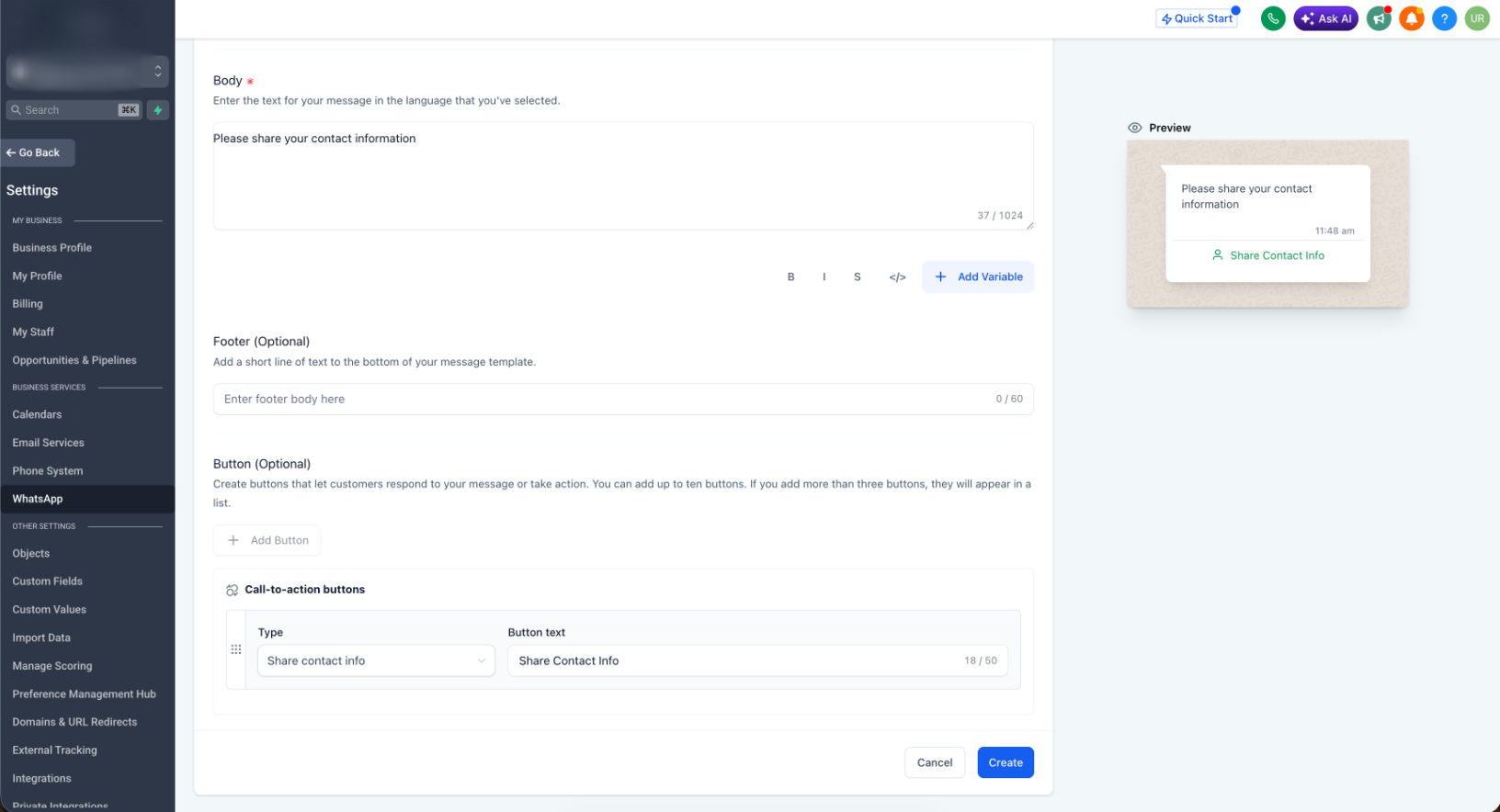
- Go to Settings > WhatsApp > Templates.
- Create or edit a template, and under Button (Optional)chooseShare contact info.
- To automate it, go to Workflow > Action > WhatsApp interactive messages, setInteractive message typetoRequest Contact Info, and add your message body.
Why this matters for your business
Usernames give customers phone-number privacy, which is good for them but leaves you with contacts you cannot call, export, or run phone-based automations on. Requesting contact info closes that gap: one tap converts a username-only lead into a fully usable contact, with the number captured cleanly and no duplicates. It keeps LatAm and other high-adoption WhatsApp markets fully monetizable instead of filling up with unreachable contacts.
- Recover phone numbers from username adopters so they become contactable and exportable
- Automate the ask inside workflows, with no manual follow-up
- Protect data quality with same-number duplicate prevention
- Unlock WhatsApp calling for username contacts
Add a Share contact info button to your next template and start recovering numbers.
Was this article helpful?
That’s Great!
Thank you for your feedback
Sorry! We couldn't be helpful
Thank you for your feedback
Feedback sent
We appreciate your effort and will try to fix the article